










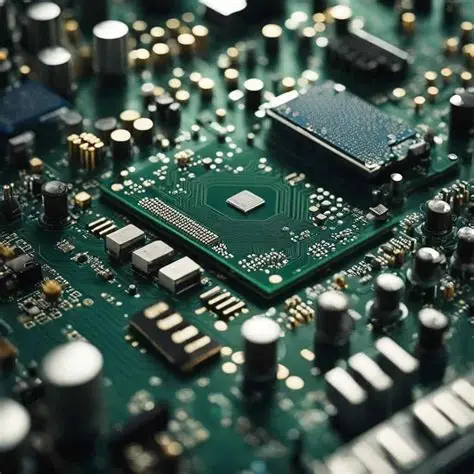
Hardware plays a critical role in the performance of any computer system. Even the best software cannot compensate for outdated or inadequate components. Each hardware element contributes to speed, multitasking, graphics, and overall user experience. Understanding these components helps users optimize their systems for work, gaming, or creative tasks.
Central Processing Unit (CPU)
The CPU, often called the brain of a computer, has the greatest impact on performance. It processes instructions, runs programs, and handles calculations. A faster CPU with multiple cores and threads can manage more tasks simultaneously.
For example, a high-end CPU improves performance in video editing, 3D rendering, and gaming. On the other hand, basic office tasks may run well on a mid-range processor. Selecting a CPU that matches your needs is essential for balanced performance.
Graphics Processing Unit (GPU)
The GPU handles visual output and is crucial for rendering images, videos, and animations. For gamers, designers, and video editors, a powerful GPU ensures smooth graphics and high frame rates.
Even for everyday users, a good GPU reduces strain on the CPU by managing graphical tasks efficiently. Integrated graphics are sufficient for basic tasks, but dedicated GPUs are necessary for high-performance computing.
Memory (RAM)
RAM affects how many applications your system can run simultaneously. More RAM allows smoother multitasking and faster response times.
-
8GB: Sufficient for light use and standard applications.
-
16GB: Ideal for gaming, creative software, and multitasking.
-
32GB or more: Recommended for professional workloads like rendering or large data processing.
Insufficient RAM can slow down a system, causing lag even with a fast CPU.
Storage Devices
Storage speed and capacity influence system performance. Traditional hard drives (HDDs) provide ample storage but are slower. Solid-state drives (SSDs) offer faster boot times, quicker file access, and better overall responsiveness.
NVMe SSDs take speed even further, reducing load times and improving application performance. Choosing the right storage solution can significantly enhance daily computing experience.
Motherboard and Connectivity
The motherboard connects all hardware components and ensures they work together efficiently. Features like bus speed, PCIe slots, and memory channels affect overall performance.
A well-chosen motherboard also allows for future upgrades, ensuring your system remains competitive over time. Poor compatibility can limit the potential of high-end hardware.
Power Supply and Cooling
Adequate power and cooling are often overlooked but crucial for performance. A reliable power supply ensures components run stably, while effective cooling prevents overheating.
Overheated CPUs or GPUs throttle performance to prevent damage, reducing system efficiency. Quality fans, heat sinks, or liquid cooling solutions maintain optimal temperatures for peak performance.
Conclusion
Hardware is the backbone of system performance. CPU speed, GPU capability, RAM capacity, storage type, and motherboard quality all contribute to how efficiently a computer operates. Power and cooling further ensure stability and longevity.
By understanding the role of each component, users can optimize their systems to meet specific needs. Whether for gaming, creative work, or everyday computing, the right hardware ensures fast, reliable, and efficient performance.


