








Choosing the right software model is a critical decision for any design studio. Whether you’re an architecture firm, an engineering consultancy, or a creative agency, your software licenses are the backbone of your workflow. In today’s landscape, you’ll face a key question:
Should you go with software subscriptions or perpetual licenses? Both options come with clear pros and cons—affecting your budget, operations, scalability, and future planning. This article breaks down the differences to help you make the smartest choice for your studio.
Understanding the Models
Subscription Licensing
Also known as Software as a Service (SaaS), this model involves paying recurring fees—monthly or annually—to use software. Once the subscription ends, you lose access.
Examples: Autodesk Revit, Adobe Creative Cloud, SketchUp Pro (subscription)
Perpetual Licensing
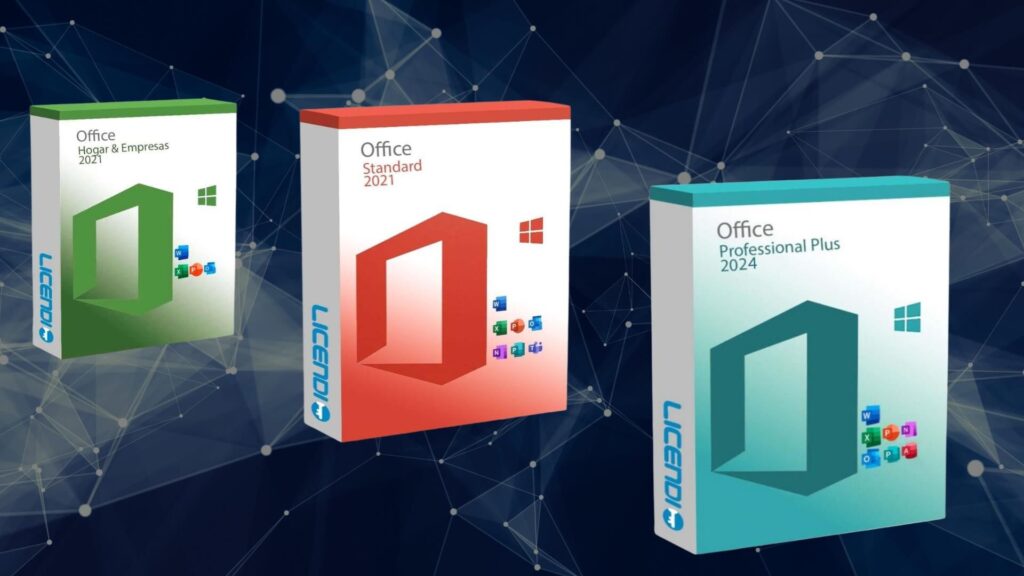
With a perpetual license, you pay a one-time fee and own that version of the software forever. However, access to updates, support, and new features often requires additional fees or a maintenance plan.
Examples: Older versions of AutoCAD, Rhino 3D, and Cinema 4D (Studio licenses)
Cost Comparison
Subscription: Lower Upfront, Higher Over Time
Subscriptions spread out costs over time, making them attractive to small studios and startups. But in the long run, they often cost more than a perpetual license—especially if you need the software for many years.
Pros:
-
Easier on cash flow
-
Includes updates and support
-
Scales easily with team growth
Cons:
-
Never truly “own” the software
-
Cost adds up over years
-
Lose access when you stop paying
Perpetual: Higher Upfront, Lower Long-Term Cost
With a perpetual license, the higher initial investment can save money over time—especially if your studio uses the same tool for 3+ years.
Pros:
-
Long-term cost savings
-
Full ownership
-
No pressure to upgrade yearly
Cons:
-
Expensive upfront
-
May require extra for updates or support
-
Can become obsolete
Updates and Support
Subscription: Always Up to Date
Most subscriptions include automatic access to the latest features, bug fixes, and technical support.
Ideal for:
Studios that rely on cutting-edge tools, regular updates, or need compatibility with other fast-evolving software.
Perpetual: Fixed Version, Optional Upgrades
Perpetual licenses usually lock you into a specific version. While some vendors offer optional upgrades, it often comes at an extra cost.
Risk: Falling behind on industry standards or losing compatibility with collaborators.
Flexibility and Scalability
Subscription: Highly Scalable
Need to onboard a freelancer for 3 months? Subscriptions make it easy. You can scale up or down licenses based on project load.
Advantage:
Flexibility for studios handling seasonal or contract-based work.
Perpetual: Fixed and Rigid
With perpetual licenses, adding new users often means buying additional full-price licenses, which can be costly and less flexible.
Software Longevity and Reliability
Perpetual: Always Available
Once purchased, you can use the software indefinitely—even offline or without internet access. This is crucial in situations with limited connectivity or long-term archived projects.
Subscription: Dependent on Vendor
If a company sunsets the product or changes its terms, you’re at their mercy. Access depends on payment and ongoing vendor support.
Security and Compliance
Subscription: Regular Patches and Cloud Integration
Subscriptions often include better cloud syncing, two-factor authentication, and ongoing security patches—crucial for collaborative and remote teams.
Perpetual: Local Control, Less Support
If your firm prefers local installs and isolated networks, perpetual licenses offer more control. But without support or patches, they may become vulnerable over time.
Real-World Use Cases
| Studio Type | Best Fit | Why |
|---|---|---|
| Small/startup studio | Subscription | Lower upfront cost, easy scaling |
| Large, established firm | Mix of both | Flexibility + long-term savings |
| Short-term or freelance teams | Subscription | Temporary access, no long-term ties |
| Government/regulated environments | Perpetual | Long-term access, offline capability |
| Education/training centers | Perpetual or Academic SaaS | Stability, one-time purchase |
Conclusion: Which Should You Choose?
The best licensing model depends on your studio’s needs:
✅ Choose Subscription if:
-
You want lower startup costs
-
Your team or project size changes frequently
-
You rely on the latest features or cloud collaboration
✅ Choose Perpetual if:
-
You prefer long-term savings
-
You have stable team size and workflows
-
You need offline access or long-term file retention
For many studios, a hybrid approach works best—using subscriptions for dynamic project-based tools and perpetual licenses for core applications.


